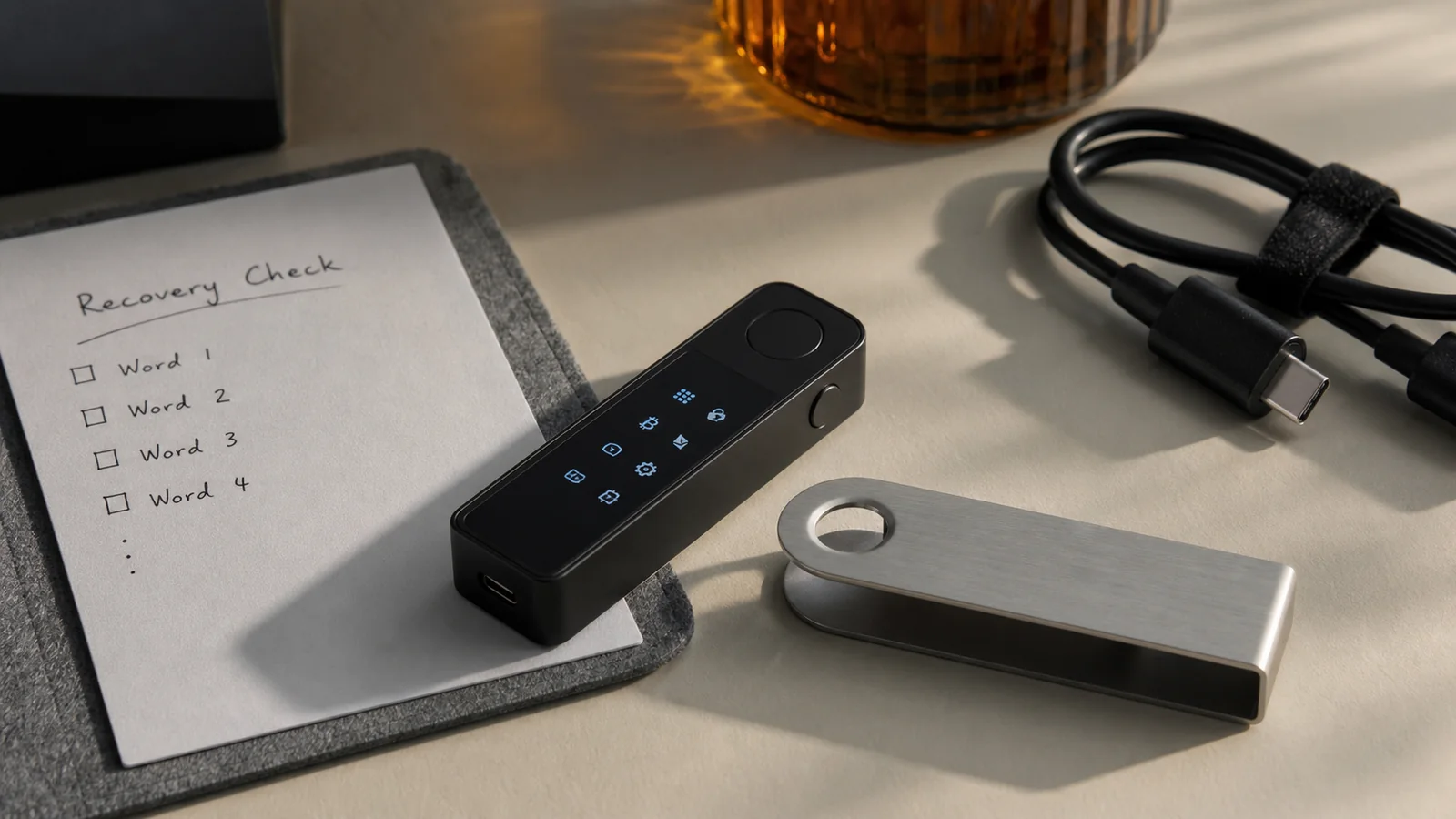
The Ledger Nano X is still a sound hardware wallet, but it no longer feels like the clear top pick. I like its pocket size, USB-C port, and mobile Bluetooth link. I do not like its tiny screen, old two-button controls, or the long trail of battery complaints.
Quick Nano X review
| Best for | People who want offline keys and phone use |
|---|---|
| Main wins | Bluetooth, USB-C, broad coin support |
| Main misses | Small display, sealed battery, dated controls |
| My grade | B- in 2026 |
This is an evidence-based product review. I checked official device pages, public security papers, setup notes, and recent owner reports. I did not treat a store rating as a lab test. That matters with any wallet that guards real money.
What the Ledger Nano X does
The Nano X is a hardware wallet. It keeps private keys inside a small device. You use those keys to sign transactions. The keys should not leave the secure element chip.
The Ledger Wallet app, once called Ledger Live, shows your accounts and helps you install coin apps. The app can prepare a payment. The device must then show and approve key facts. That last check is why the screen matters.
The Nano X can connect to a computer by USB-C. It can connect to a phone with Bluetooth. That mobile link is its main edge over the lower-price Nano S Plus.
Specs and design
The Ledger Nano X looks like a thick USB stick with a metal swivel cover. It weighs about 34 grams and is close to 72 by 19 by 12 millimeters. It is easy to carry. It is also easy to lose in a bag, so give it a fixed home.
The small OLED display has a 128 by 64 pixel view. Two side buttons move through menus. Press both to pick an item. The setup works, but long addresses and many taps can feel slow.
Ledger lists Bluetooth, a battery, USB-C, and support for macOS, Windows, iOS, and Android. Its current store page also lists a CC EAL5+ certified secure element and broad crypto support. You can check the maker's current Nano X specifications.
Security: what the chip can and cannot do
The secure element is a chip built to resist some forms of tampering. Ledger's BOLOS system separates wallet apps. One bad app should not get free access to every other app or your raw private keys.
That is good design. Yet no chip can fix a seed phrase typed into a fake site. Most wallet loss starts with a person being tricked. A secure device can sign a bad transaction if you approve it.
The Nano X uses a 24-word recovery phrase. Those words can restore your wallet if the device breaks. They can also give a thief full control. Keep them offline. Never take a photo. Never put them in cloud notes. Ledger support will not ask for them.
Is Bluetooth safe?
Bluetooth moves public data and signed messages. It should not move your private keys. The Nano X uses an encrypted link, and the secure element still signs on the device.
I still treat Bluetooth as a choice, not a need. If you do not want it, turn it off and use USB. Always read the amount and address on the Nano X display, not only on your phone.
The small screen is the weak point here. It can show the needed data, but it takes more care than a large touchscreen. Slow down. A wallet is not a place to speed-tap.
Ledger Wallet and supported crypto assets
The Ledger Wallet app helps manage digital assets. You can add Bitcoin, Ethereum, Solana, XRP, many stablecoins, and thousands of tokens. Some coins work in the main app. Others need external wallets such as MetaMask, Phantom, or Electrum.
Ledger publishes a live supported crypto assets list. Check your exact coin and task before you buy. “Supported” may mean send and receive, but not buy, swap, or stake inside the same app.
You can install many apps on the Nano X. App storage is not coin storage. Your coins stay on their networks. Removing an app does not erase the coins. You can add the app again and use the same accounts.
Nano X vs. Nano S Plus vs. newer models
| Device | Best reason to pick it |
|---|---|
| Nano X | Phone use with Bluetooth and a battery |
| Nano S Plus | Lower price and no battery to age |
| Ledger Flex | Larger E-Ink touchscreen and easier review |
| Trezor Safe 5 | Touchscreen and a more open software path |
Nano X vs. Nano S Plus
The Nano S Plus has no battery and no Bluetooth. It needs a cable. In return, it costs less and has one less part that can fail.
Both Ledger devices keep keys offline and run coin apps. If you use a desktop computer, the S Plus may be the better value. If you need iPhone use away from a desk, the Nano X makes more sense.
Nano X vs. Ledger Flex
The Flex has a much larger E-Ink screen. That makes address and transaction checks easier. It also costs more.
The Nano X wins on pocket size. The Flex wins on daily comfort. For a large balance, I value the clearer display more than a small saving.
What about Ledger Stax?
Ledger Stax is the premium choice. Its curved E-Ink screen looks sharp and shows more data. It is also a lot more device than many people need.
If you sign once a month, Stax may be hard to justify. If you sign all day, a better screen can lower stress and mistakes.
Setup: the safe way
- Buy from Ledger or a listed seller.
- Go to Ledger's site by typing the address yourself.
- Install the real Ledger Wallet app.
- Set up the device as new.
- Choose a PIN that is hard to guess.
- Write the recovery phrase on paper or metal.
- Run the genuine check in the app.
- Send a tiny test amount before a large transfer.
A new wallet should create the recovery phrase on its own screen. If a card in the box already has words, stop. If a seller sends you a PIN, stop. The device is not new or the package may be a trap.
Counterfeit wallet packages still appear in online markets. Buy direct when you can. A small discount is not worth a poisoned app or a copied seed.
Daily use and common issues
Daily use is simple once apps and accounts are set. Open Ledger Wallet, prepare a task, check it on the Nano X, then sign. The two-button flow is slow but clear.
The battery is the loudest owner complaint. Recent owner posts report units that work only while plugged in. One 2026 Nano X owner thread includes both happy long-term users and many reports of weak batteries, hard buttons, and old-feeling controls.
A dead battery does not mean lost coins. If USB still powers the device, you may still sign. If the whole device fails, the recovery phrase can restore the same accounts on a compatible wallet.
Three fixes worth trying
- Battery error: Update firmware, use a known-good cable, and charge at room heat.
- Bluetooth will not pair: Remove the old phone pairing, restart both devices, then pair inside Ledger Wallet.
- App will not install: Update Ledger Wallet and device firmware, then clear unused coin apps.
Do not update five minutes before you need to move funds. First check your recovery backup. Then give the update time to finish.
Connectivity and app storage in real life
The Ledger Nano X has two kinds of connectivity. USB C links it to a desktop or laptop. Bluetooth links it to an iPhone or Android smartphone. The Bluetooth link is for mobile use; a PC normally uses the cable.
That split is easy once you know it. It is less clear on day one. The Ledger Live app guides the first link, though the company now calls it the Ledger Wallet app in many places. You may still see both names in support notes. They refer to the same main app line.
On Android, the Ledger Live app can connect by Bluetooth or a supported cable. On iPhone, Bluetooth is the normal Nano X path. Check current phone and system support on the Ledger website because old phones can fall off the list.
Ledger devices use app storage for each chain. Bitcoin has an app. Ethereum has an app. Solana has an app. These apps tell the Ledger Nano X how to check and sign for that network. Your crypto assets are stored on the chain, not inside the app storage.
That means you can remove coin apps to free storage. Your assets remain tied to the same private keys. Install the apps again and the accounts return. This is true across the Ledger Nano line, including the Nano S Plus.
Where the Nano S Plus may be better
I keep coming back to the Nano S Plus because it solves the sealed-battery problem. The S Plus is one of the simplest current hardware wallets in the Ledger family. It has USB connectivity, no battery, and no Bluetooth.
The S Plus also runs many of the same apps as the Ledger Nano X. Both Ledger devices can securely manage a wide set of tokens and digital assets. Both use a secure element. Both ask you to check a payment on a small screen.
The buyer choice is plain. Pick the Nano S Plus if you use a desktop and want a lower price. Pick the Ledger Nano X if phone access is the main need. Pick a larger display if easy reading matters more than pocket size.
Older choices such as the Trezor Model T also use a touchscreen, while newer Trezor models have changed the price and security mix. Compare the current Trezor model page, not an old list.
A simple threat check
Hardware wallets are not magic. They move trust. A hot wallet trusts phone or computer software with signing keys. A pocket size hardware wallet keeps the keys on another device, then asks you to approve.
The Ledger Nano X can add security against some computer malware because the keys are stored in the secure element chip. It cannot stop you from sending to a thief. It cannot stop a fake support ticket from tricking you into sharing the Ledger recovery key.
Air gapped devices remove USB and Bluetooth from the signing path. That can cut one kind of risk. It does not remove bad QR codes or bad approvals. Each design makes a different trade.
My basic security rule stays the same across software wallets and hardware wallets: check the real device screen, keep the phrase offline, and test recovery before a large transfer. Self custody gives you control, but it also gives you the cleanup job.
Price and value
The Nano X has often sold near $149, though sales and local prices vary. I would not judge it from MSRP alone. Compare the current Nano S Plus, Flex, and Trezor prices on the same day.
At a deep sale price, the Nano X is easy to like. It gives you mobile use, wide coin support, and a secure element in a small body. At full price, the sealed battery and tiny display are harder to excuse in 2026.
Do not buy a used hardware wallet. Do not buy a “pre-set” one. A safe new device costs less than one stolen account.
Ledger Recover and trust
Ledger also offers an optional paid recovery service in some places. It has caused debate because encrypted seed parts can leave supported devices after clear user approval.
You do not have to use that service. Still, the feature reminds us that hardware wallet security includes firmware trust. Read updates before you install them. Decide which trust model fits you.
Some buyers want more open code. Others want a certified secure element and a large support team. Neither choice removes the need for safe seed storage.
Who should buy the Nano X?
Buy the Nano X if you use several crypto assets, want phone access, and find it at a good price. It is also useful as a backup device for someone already in the Ledger system.
Choose the Nano S Plus if you want a lower price and use a computer. Choose a newer touchscreen wallet if reading full transaction data is your top need. See our best Solana wallet guide if SOL is your main asset.
Short FAQ
What does Nano X do?
It keeps private keys in a hardware device and signs crypto transactions after you check them.
Is the Nano X worth buying?
Yes at a good sale price, mainly for mobile use. At full price, compare newer screens and battery-free choices.
Can I use it without Bluetooth?
Yes. Turn Bluetooth off and use USB-C with a supported computer.
What if the battery dies?
The device may still work over USB. Your funds also remain safe if your recovery phrase is safe.
Does Ledger store my coins?
No. Coins stay on their blockchains. The Nano X protects the keys used to control them.
Final verdict
The Ledger Nano X is secure, useful, and a bit old. I trust its main job more than I enjoy its controls. Bluetooth is handy. The sealed battery is not.
My grade is B-. I would buy it on sale for a phone-first setup. I would skip it at full price if a clearer screen or a battery-free life matters more.
Whatever you choose, buy from a safe source, check the address on the device, and guard your recovery phrase. The best wallet is the one you can use slowly and correctly.